Try the Tower Rush Demo
By Thomas Salmon · Updated

100,000 Fun credits, no sign-up
Same rules as the real game. Fun credits have no cash value.
Tower Rush demo play starts with 100,000 Fun credits and needs no registration. The credits have no cash value, so you can practise BUILD and CASHOUT without an operator balance. This guide explains the round controls, demo limits and differences between Fun mode and operator play.
Tower Rush free demo
The demo loads from the Galaxsys server only after a click. Fun credits have no cash value. 18+.
What does the Tower Rush demo include?
Tower Rush demo starts with 100,000 Fun credits, no sign-up and a 100 Fun maximum bet. The credits are virtual and have no cash value, so they cannot be withdrawn or exchanged. A demo account is not required, and the game does not create a Tower Rush account.
The Galaxsys title is a crash game, not a reel slot: it has no reels, paylines, scatters or free spins. The odds of each placed floor multiply together, and CASHOUT pays the bet multiplied by the accumulated odds. A floor can have odds below x1, so a taller tower can still return less than the bet.
The demo minimum bet is 1 Fun, the maximum bet is 100 Fun, and the maximum win is 10,000 Fun. After the amount reaches the 100x bet cap, it stops growing; building another floor can still lose the capped amount. Floors have no set round limit, but a collapse ends the round and loses the bet unless the amount was frozen.
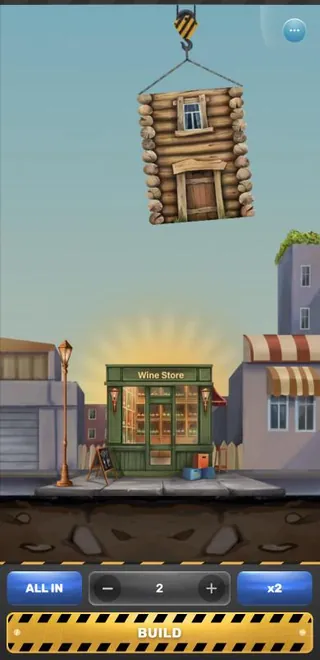
How do you start Tower Rush demo play?
Select the free demo button to load the game, then use BUILD to place a floor. The Tower Rush free demo opens without registration, and its controls let you practise the round sequence using Fun credits.
- Open the demo page and select its free demo button.
- Set your Fun stake with minus or plus, or select ALL IN or x2.
- Select BUILD and check the floor odds after it lands.
- Choose CASHOUT to collect the accumulated Fun, or BUILD to continue.
- Open Rules for instructions, or use Players, History and Top for their displayed information.
| Control | When it appears | What it does |
|---|---|---|
| Minus and plus | Before a floor | Adjust the Fun stake |
| ALL IN and x2 | Before a floor | Set the stake using the displayed options |
| BUILD | Before and after a floor | Place a floor or continue the tower |
| CASHOUT | After a floor | Collect the accumulated amount in Fun |
| Home, Sound and Rules | In the menu | Return, adjust sound or open instructions |
The buttons practise the game sequence, but they do not make a floor safer or change its result. For the full explanation of floor odds and bonus rules, the Rules menu and game mechanics give the relevant checks.

HTML5 game in the browser
No separate Galaxsys app is needed.
What can happen during a demo round?
Bonus floors can freeze a total, spin a wheel or build three floors automatically. They look like ordinary floors before placement, and Galaxsys does not publish how often they appear.
| Feature | Effect | Condition |
|---|---|---|
| Frozen Floor | Freezes the accumulated amount for payment | One use per round; the frozen sum can be below the bet |
| Temple Floor | Spins a wheel with ten sections | Sections show x1.5, x2, x3, x5 or Freeze; it can repeat |
| Triple Build | Builds three floors automatically | Each floor has odds of at least x1; it can repeat |
| Max Win | Caps the amount at 100x the bet | Further building can lose the capped amount |
After a Frozen Floor, no other bonus floors appear, and later floors have odds of at least x1.5 or collapse. The Temple wheel has two sections each for x1.5, x2, x3 and x5, plus one Freeze section. A frozen amount is paid even if the tower later falls.
In my desktop demo session, a 5 Fun bet reached six floors and paid 10.07 Fun after CASHOUT. The sequence included x0.55 and x0.4 floors, which lowered the accumulated odds. This single demo run does not establish an RTP, bonus frequency or a result at an operator.
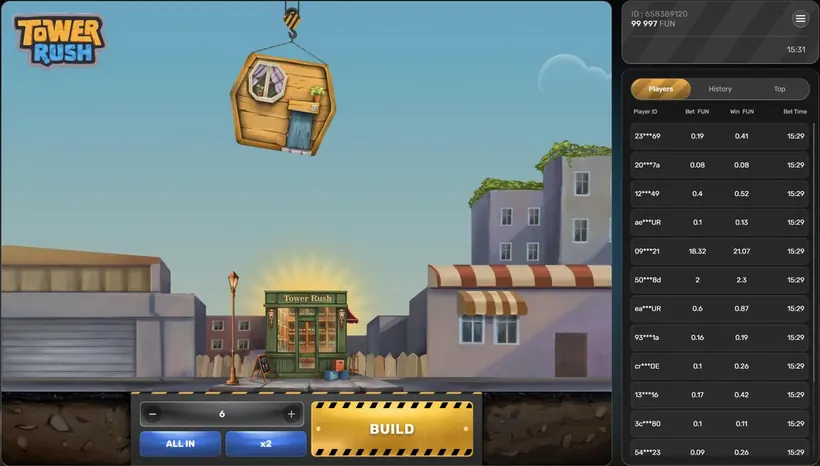
How does demo vs real money play differ?
Demo and real mode use the same game rules, but only operator play uses a cash balance. Fun credits remain virtual, while deposits, withdrawals and operator promotions belong to the operator platform.
The Galaxsys game card lists an RTP range of 96.2-97.6%; the figure at a casino depends on the version and the operator settings. A demo session cannot establish an RTP or predict a future round. The operator cashout process covers the separate steps an operator sets for real play.
The game does not handle sign-up, identity checks or payment methods. Operators manage accounts, and they may request identity documents before a withdrawal. Their promotion pages set current offers and wagering terms; operator sign-up and checks explains that separate account process. Keep the demo and operator balance distinct when comparing the two modes.
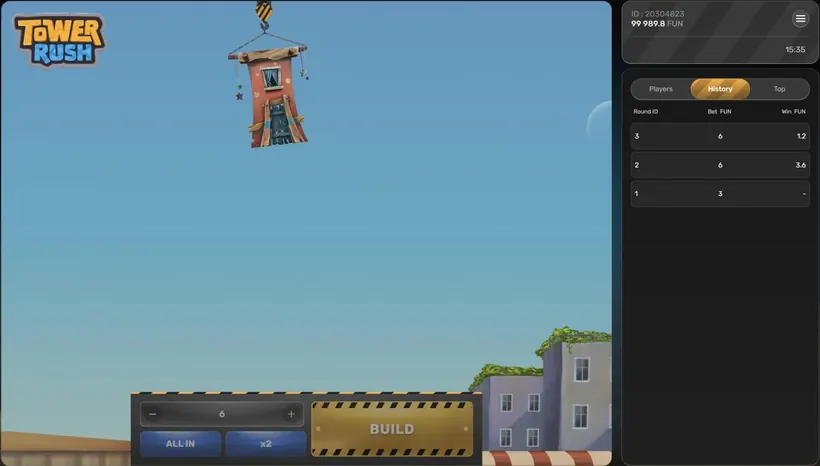
Other games to try






Can the Tower Rush demo run on mobile?
A demo run on mobile works in a browser because Tower Rush is an HTML5 game. Galaxsys does not publish a standalone Tower Rush app, though the game can also run inside an operator's own app.
In my mobile demo session, a 3 Fun bet reached one x1.3 floor and paid 3.9 Fun after CASHOUT. That session confirms the demo ran on that device, not that every phone will perform the same way. The browser and app checks explain how to distinguish the game client from an operator app.
Galaxsys is the supplier in the originality chain, and the operator lobby should name Galaxsys as provider. Screen colours or a familiar layout do not prove a game is original. The game has no autoplay or auto cashout, according to SlotCatalog, so the player chooses BUILD or CASHOUT after a floor.
Tower Rush questions from Indian players
Can I play the Tower Rush demo without registration?
Yes. The Tower Rush demo opens after you select the free demo button and does not require sign-up. It starts with 100,000 Fun credits, which have no cash value and cannot be withdrawn.
Do I need a demo account to play Tower Rush?
No. A demo account is not required, and Tower Rush does not have its own account system. The demo uses virtual Fun credits, while an operator account is separate and is handled by the operator.
Are the demo rules different from real mode?
No. Demo and real mode use the same game rules, but the demo uses Fun credits with no cash value. Real play uses an operator balance, and deposits, withdrawals and promotions are handled by that operator.
How do I cash out in the Tower Rush demo?
After a floor lands, select CASHOUT to collect the accumulated amount in Fun, or select BUILD to continue. A later collapse loses the bet unless a Frozen Floor has frozen the amount for payment.
Can I play the demo run on mobile?
Yes. Tower Rush is an HTML5 game that runs in a mobile browser and can also load inside an operator's app. Galaxsys does not publish a standalone Tower Rush app.
Can the demo show how often bonus floors appear?
No. Bonus floors look like ordinary floors until placement, and Galaxsys does not publish their drop frequency. A short demo session cannot establish how often they will appear.